Modern .NET Development
How to Choose Between Blazor Server, Blazor WebAssembly and Razor Pages
The useful question is not which .NET web framework is best. It is where each interaction should execute, where its state should live, and which failure modes the product can afford.

The old three-way comparison hides the real decision
“Blazor Server or Blazor WebAssembly?” used to imply an application-wide hosting choice. Modern Blazor Web Apps make that framing incomplete. A Razor component can be statically server-rendered, interactive on the server, interactive in WebAssembly, or use Auto mode. Render modes can be selected for parts of an application, while Razor Pages remains an excellent request-and-response model for page-focused work.
The architectural decision is therefore not which logo wins. It is where code executes, where transient UI state lives, how browser events reach that code, and what happens when the network disappears. Those choices determine latency, deployment shape, security exposure and operating cost. The syntax shared by Razor components can make the options look more alike than they behave in production.
Start with a page inventory rather than one decision for the whole product. A public product page, an employee case-management screen and a field inspection workflow have different needs even if they share branding and business services. The best design may use static server rendering for the public area, Interactive Server for a dense internal tool, and WebAssembly only for the workflow that must continue through a lost connection.
A decision matrix for the first architectural cut
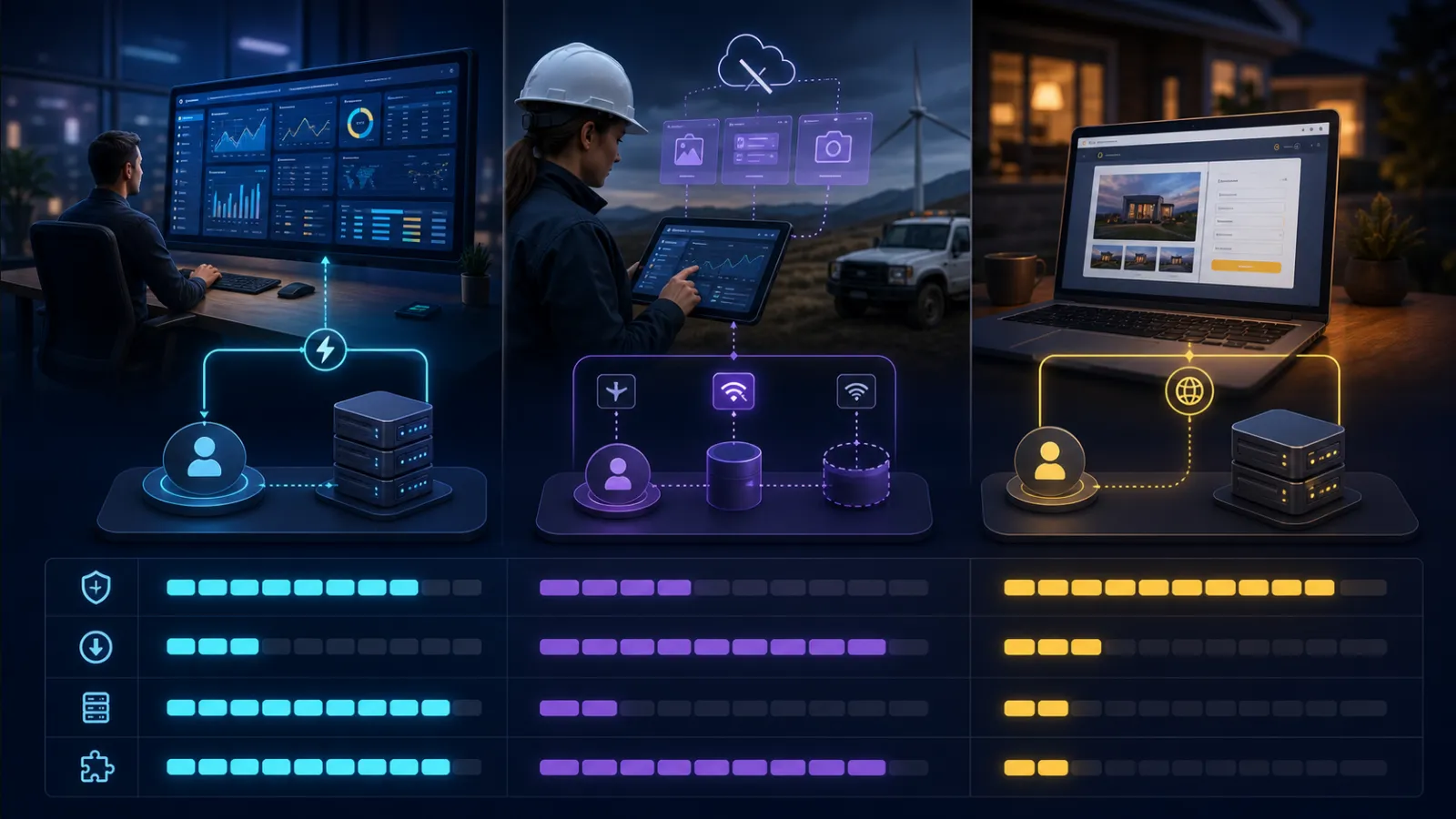
| Pressure | Razor Pages or static SSR | Interactive Server | Interactive WebAssembly |
|---|---|---|---|
| Public, content-led pages | Strong default | Use only for interactive islands | Usually unnecessary |
| Dense authenticated UI | More full requests and client script | Strong on reliable low-latency networks | Strong after startup if API boundary is justified |
| Unreliable connectivity | Requires a request to act | Poor fit; the circuit needs connectivity | Only credible option here, with deliberate offline data design |
| Initial payload | Small | Small, then opens a circuit | Larger runtime and application download |
| Server resource model | Per request | Long-lived connection and circuit state per active user | Mostly API requests after download |
| Code and secrets | Remain on the server | Remain on the server | Client assemblies and data are inspectable; secrets cannot live there |
| Scale-out concern | Conventional stateless web scaling | Connection affinity, circuit capacity and reconnect behaviour | API scale, static asset delivery and client/server version overlap |
| Best default when uncertain | Yes | For bounded internal interactivity | Only when client execution creates measurable value |
This is a starting position, not a scoring system. One hard requirement can dominate the table. Genuine offline operation rules out Interactive Server. A public form with a few conditional fields rarely justifies shipping a .NET runtime. A low-latency internal application with trusted users may gain more from server interactivity than it loses in circuit cost.
Razor Pages is not the legacy choice
Razor Pages is frequently rejected because it appears less interactive, as though architectural maturity were measured by how much application state remains in the browser. For request-driven software-content, account management, data entry, search and administrative CRUD-its constraints are often an advantage. Each request establishes fresh server context, ordinary HTTP semantics remain visible, and a browser refresh does not need to reconstruct an in-memory UI circuit.
The PageModel gives a page a cohesive endpoint without turning every interaction into a client-side state machine. Validation, antiforgery, redirects, caching and observability follow familiar ASP.NET Core paths. HTML arrives complete, which keeps initial rendering and failure behaviour straightforward. Small pieces of JavaScript can provide progressive enhancement without moving the application's authority into the browser.
Choose Razor Pages when most interactions naturally end in navigation or form submission and when robust behaviour on slow devices matters more than desktop-like continuity. It is also a good migration target for older MVC or Web Forms workflows that do not need component-level interactivity. Do not choose Blazor merely to avoid writing JavaScript; that exchanges a language preference for a runtime and state-management decision.
Static SSR with Razor components now occupies nearby territory and allows a component-oriented implementation without interactive runtime state. Razor Pages still has value where page handlers, conventional model binding and request-oriented organisation fit the team. The important distinction is not .cshtml versus .razor; it is request/response versus a persistent interactive runtime.
Interactive Server moves the application loop across the network
Interactive Server-historically called Blazor Server-runs component event handling on the server. The browser sends events over a real-time connection and receives UI updates. This produces a small initial download and lets UI code use server-side services without creating a separate public API for every interaction. For an internal line-of-business system on a controlled network, that can be remarkably productive.
The hidden cost is that a click now contains a network round trip. A screen can feel instant in a local development environment and become tiring at 100–150 ms latency, especially when typing, dragging or rapidly changing controls triggers repeated events. Measure from the actual user geography and network, including VPNs and mobile tethering. Server render time is only part of the interaction budget.
Each active UI has a circuit containing component state and scoped services. Capacity planning must therefore consider concurrent connected users, memory per representative circuit, reconnect peaks and connection infrastructure-not just requests per second. Scale-out may require affinity so a connection returns to the server holding its circuit, or a managed SignalR service and an architecture designed around its constraints.
A disconnection is not just a transport event. The user may be looking at a UI based on server state that is no longer live. Circuit retention can allow brief reconnection, but it cannot make a prolonged outage offline-capable. Decide what the screen shows, whether unsaved input survives, and whether retrying an action can duplicate work. The circuit is a presentation cache, not a durable business transaction.
Interactive Server is strongest for authenticated, high-value tools with reliable connectivity, modest concurrency and server-adjacent data. It is weaker for global consumer traffic, high-frequency gestures, long disconnected sessions or workloads whose concurrent connection count is difficult to predict. Its security benefit is real-assemblies, credentials and privileged logic stay on the server-but every action still requires server-side authorisation. A hidden button is not an access control.
WebAssembly buys client execution, not a free offline application
Blazor WebAssembly runs .NET code in the browser. Once downloaded, local UI interactions avoid a server round trip and server capacity is no longer tied to a circuit per active user. That is valuable for rich client-side editing, computation, visualisation and applications distributed far from the server. It also creates a clean API boundary that can serve other clients.
The browser is an untrusted machine. Assemblies can be downloaded and inspected, configuration is public, and any client-side authorisation check can be altered. Never put secrets or authoritative business rules solely in WebAssembly. APIs must validate tokens, tenant boundaries, resource ownership and commands exactly as they would for a JavaScript SPA. Sharing C# types reduces duplication; it does not turn client code into trusted code.
Startup cost is the visible trade-off. The runtime, framework assemblies and application code must reach the browser, although caching and prerendering can improve subsequent and perceived loads. Trimming and ahead-of-time compilation are not magic switches: AOT can improve runtime performance while increasing download size. Optimise against measured journeys on representative devices, not a desktop development machine with a warm cache.
Offline support requires more than enabling the PWA option. A service worker can cache an internally consistent application snapshot, but the business data, queued commands, conflict rules and authentication lifecycle are yours to design. What happens when two people edit the same record offline? Can an operation be replayed safely? How does an expired access token affect queued work? How is local sensitive data removed at sign-out? Most of the cost of an offline application is synchronisation, not rendering.
Choose WebAssembly when client execution is itself a requirement: meaningful work must continue through connectivity loss, interactions are latency-sensitive, local computation is material, or independent API and client deployment is strategically useful. If the argument is only “our developers know C#,” the operational bill usually arrives after the prototype.
Auto mode removes one delay and introduces a versioning contract
Interactive Auto initially uses server interactivity while the WebAssembly bundle downloads, then uses WebAssembly on later visits when the assets are available. It is easy to describe this as a live handover. It is not: an existing component does not migrate from server to client while it is on the page. The render mode is selected for that instance and remains fixed for its lifetime.
Auto can improve the first-visit experience, but both execution models must work. Code used by the component must be suitable for server and browser execution, dependencies must respect the boundary, and the application must be deployed and tested as two clients. That is added complexity, not a universal best-of-both-worlds setting.
Cached WebAssembly assets also mean old client code can overlap a new server deployment. API contracts and authentication behaviour must tolerate that window. A breaking server release that assumes every browser immediately downloaded the new bundle will fail intermittently and be difficult to reproduce. Use backwards-compatible contracts, asset versioning and explicit handling when a client is too old.
Prerendering changes lifecycle assumptions
Interactive render modes are prerendered by default, giving the browser useful HTML before interactivity begins. This improves perceived startup and discoverability, but the component may execute once during prerendering and again when it becomes interactive. Code that assumes one initialisation pass can issue duplicate API calls, repeat telemetry or attempt browser interop before a browser runtime is available.
Treat prerendering as a distinct phase. Persist state when avoiding duplicate data fetches matters, make initial operations idempotent, and render a deliberate non-interactive state for controls that cannot work yet. Disabling prerendering may simplify a highly client-specific component, but it trades away useful initial HTML. Make that trade explicitly rather than discovering it through a flashing loading indicator.
Render modes propagate through component hierarchies and cannot be mixed arbitrarily inside them. Parameters crossing from static rendering into an interactive boundary must be serialisable; delegates and render fragments do not cross that boundary as ordinary data. Component boundaries are therefore deployment and serialisation boundaries, not just a way to organise markup.
Security differs by boundary, not by framework label
Server execution keeps application code and tokens away from browser JavaScript, but it does not remove web security concerns. Cookie-backed authentication needs antiforgery protection for state-changing HTTP requests, circuits must be authorised, and resource access must be checked at the point of use. Long-lived screens are especially vulnerable to stale permissions: a user can remain connected after their organisational access changes.
WebAssembly is a public client and should use an appropriate browser authentication flow; secrets cannot be protected there. Bearer tokens held by a browser increase the impact of cross-site scripting. A backend-for-frontend may be a better boundary when a browser needs to call several protected services without exposing tokens to client code.
Static SSR and Razor Pages make the server boundary easier to see, but rendered HTML can still disclose data and endpoints still need authorisation. None of the options makes client-side visibility a security control. The safest model is the one whose trust boundary the team can state precisely and test negatively.
Operate the failure mode you selected
Each model needs different telemetry. For Interactive Server, watch active circuits, reconnects, connection failures, circuit duration, memory per circuit and end-to-end event latency. A healthy HTTP endpoint does not prove users can interact. Test instance replacement and network interruption with real forms in progress.
For WebAssembly, observe bundle size, cold and warm startup, asset download failures, API compatibility and errors by client version. Browser failures may never appear in server logs unless client telemetry is deliberately collected. Test published PWA builds because development mode does not reproduce the service worker lifecycle.
For Razor Pages and static SSR, conventional request rate, latency, errors and cache behaviour remain useful, but measure whole user journeys rather than only endpoints. A sequence of individually fast posts and redirects can still feel slow. Across all models, deploy database and API changes so old and new application versions can overlap safely.
A mixed architecture is usually more honest
Many teams choose globally because consistency feels cheaper. It is cheaper only while pages have similar requirements. Forcing a marketing site into global interactivity adds runtime cost; forcing a spreadsheet-like planning tool into request/response creates a growing JavaScript layer; forcing a field workflow onto a server circuit denies its connectivity reality.
Use static rendering as the baseline and add interactivity where it earns its cost. Keep interactive islands coarse enough that their state and serialisation boundaries remain understandable. Share domain and application services behind the UI, but do not force all presentation models through an artificial abstraction that hides HTTP, circuits and APIs. Those differences are precisely what the architecture must manage.
A sensible migration follows user journeys. Move one bounded page, measure payload and interaction latency, test reconnect and deployment behaviour, and then decide whether the model deserves a wider role. Razor components can support gradual adoption, but visual reuse should not be confused with equivalent runtime behaviour.
The recommendation in plain English
- Choose Razor Pages or static SSR for content-led, form-led and request-oriented software. Make this the default when rich interactivity has not been demonstrated as a requirement.
- Choose Interactive Server for dense authenticated interfaces on reliable networks when fast delivery and server-side access outweigh circuit capacity and latency sensitivity.
- Choose Interactive WebAssembly when execution in the browser delivers measurable value: offline work, low-latency local interaction, substantial client computation or an intentional independent-client architecture.
- Choose Auto cautiously when the team can support both execution models and compatible client/server versions. It improves startup sequencing; it does not erase their trade-offs.
- Mix modes by journey when the product contains genuinely different interaction and connectivity profiles.
Prototype the risk, not the syntax. Test Interactive Server over the worst expected network with realistic concurrency. Test WebAssembly from an empty cache on the slowest supported device. Test offline editing with conflicting changes, not merely by disconnecting after the home page loads. The correct choice becomes much clearer when its failure mode is made visible.
Related C3 Software guides
Frequently asked questions
Is Blazor Server obsolete?
No. The model is now described as Interactive Server rendering in a Blazor Web App. It remains a strong choice for interactive applications with reliable connectivity and predictable concurrent use.
Does Blazor WebAssembly automatically work offline?
No. A PWA can cache application assets, but useful offline work requires local data storage, queued operations, conflict resolution, authentication handling and secure synchronisation.
Does Interactive Auto switch a live component from server to WebAssembly?
No. Auto can use server interactivity initially and WebAssembly on later visits after assets are cached, but the render mode selected for an existing component does not change while it remains on the page.
Can Razor Pages and Blazor be used in the same application?
Yes. The more important question is whether the resulting routing, authentication, layout and deployment boundaries remain clear. Use each model for a deliberate journey rather than mixing them merely to reuse syntax.
Choose a .NET web architecture that survives production
C3 Software Limited has built and supported business software in the UK since 2001. If your application spans public pages, interactive workflows or unreliable networks, talk to C3 Software about a focused architecture review or migration plan.